beacon-board
A kanban board backed by markdown files, with a CLI that people and coding agents can both drive.
Tickets are files in a directory. The board is a single static HTML page. There is no server and no database, so the backlog lives in your repository, moves with it, and reviews like code.
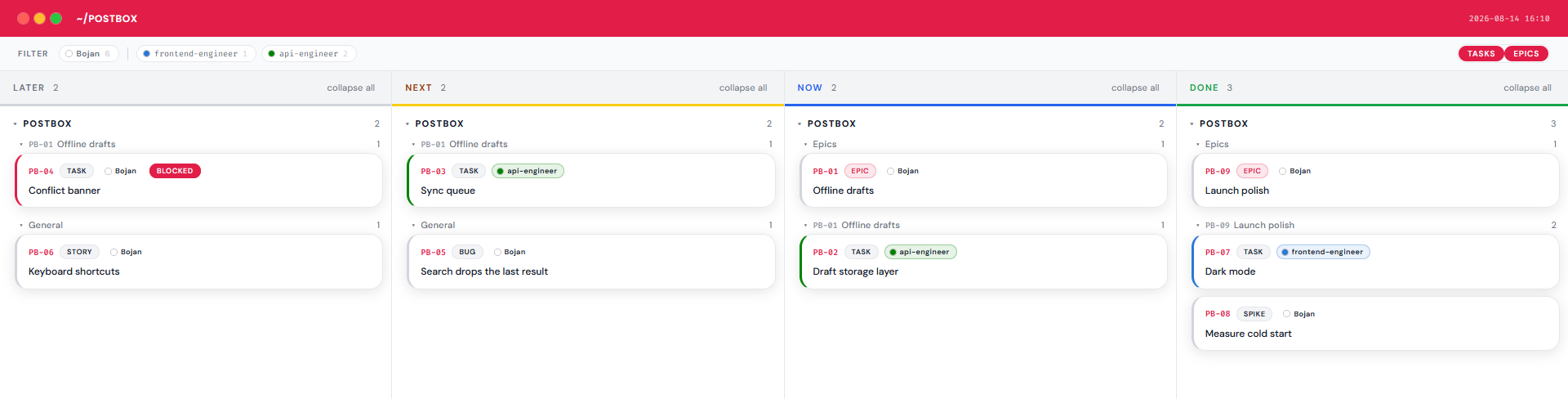
One static HTML page, rebuilt from the ticket files on demand.
uvx beacon-board --help     # run it
pipx install beacon-board   # or keep it

beacon-board init
beacon-board new --app AB \
  --title "First ticket" --type Task
beacon-board build --open
# AB-07: [Bug] Search drops a result
**Assignee:** rae
**Type:** Bug
**Status:** Next
## Objective
The final match is missing from
every result page.--force. Useful when you want an agent to do the work but not to declare it finished.list --json gives machine-readable output, so pipelines never parse message text.beacon-board started as Beacon, the private ticket store behind everything else on this page. Bouncer, FLY, JUMP and LoadBear were all built against it, with the agents reading and writing the same files I did. It was extracted and published once it had earned the trust.
Run beacon-board agent-docs to print an instruction block to paste into whatever your assistant reads. Nothing in it is specific to one tool.