How to block calls from numbers not in your contacts on Android
Spam filters only stop numbers someone has already reported, and spammers change numbers every day. The simplest fix works the other way round: only the people you know get to ring.
Why spam filters miss so many calls
Most call blockers check each number against a list of reported spam. A new number is not on that list yet, so its first calls always get through. And spammers use new numbers all the time.
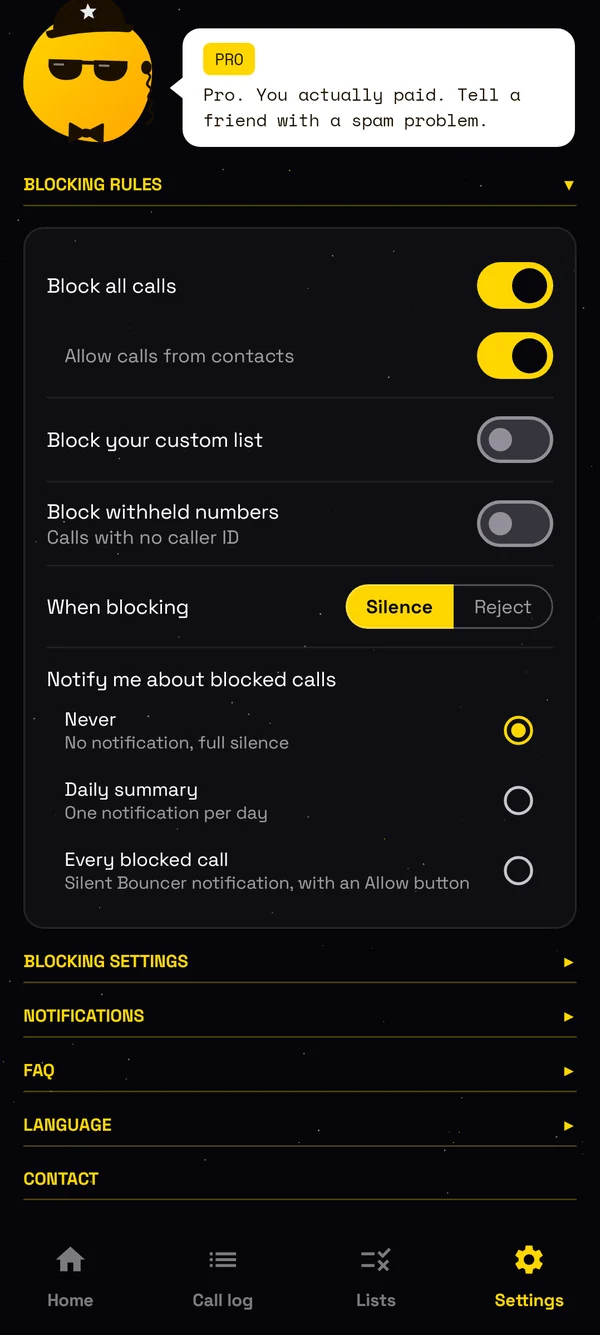
Bouncer does not need a list. If a number is not in your contacts or on your allow list, it does not ring.
How to block all calls from unknown numbers
- Install Bouncer from Google Play.
- In setup, make Bouncer your spam blocking app.
- Allow access to your contacts.
That is all. Calls from numbers that are not in your contacts stop ringing: no ring, no vibration, no pop-up. You choose what the caller gets: a silent ring, so they may reach your voicemail, or a call that ends straight away.
Will I miss important calls?
Your contacts always ring. Add any other number to the allow list, like the school or the dentist, and it rings too.
Every blocked call is in the call log, with the number, the city and the time. Check what you missed, and allow a number with one tap. With Pro, a number that calls again and again can get through, in case it is urgent.
Do I need to replace my phone app?
No. Bouncer uses Android's call screening, so you keep your usual phone app and your contacts. It works offline, needs no account, and your contacts never leave your phone.
Block numbers or ranges, or block everyone except your contacts.

From 17 October, sales calls in Spain come from numbers that start with 400. Here is how to block them.
Read → October 2026 How to block telemarketing calls in India, Brazil, Chile and France140 in India, 0303 in Brazil, 809 in Chile, and the automated call ranges in France. Block them in one tap.
Read → October 2026 Bouncer call blocker now speaks 11 languagesEnglish, Spanish, Portuguese, French, German, Italian, Turkish, Polish, Russian, Croatian and Serbian.
Read → September 2026 How to block calls by area code or country code on AndroidBlock a whole area code, country code or prefix in one entry, and let Bouncer spot spam ranges for you.
Read → September 2026 How to block unknown calls at night, and only at nightOvernight, in working hours or at the weekend: choose when unknown numbers stop ringing.
Read →