How to block telemarketing calls in India, Brazil, Chile and France
Some countries make telemarketers use their own numbers. That is good news: if sales calls all start the same way, you can block them all at once.
Free Bouncer can already stop these calls: block every number that is not in your contacts. The ranges below are for when you want other unknown numbers to keep ringing.
India: block 140, allow 1600
Promotional calls come from numbers that start with 140. TRAI requires banks, insurers and government offices to make service and transaction calls from numbers that start with 1600. Bouncer puts both on your lists: 140 ready to block, 1600 ready to allow, so your bank still rings even when you block unknown numbers.
Brazil: block 0303
Anatel reserved numbers that start with 0303 for telemarketing. Since August 2025 the prefix is optional, so many telemarketers still use it and some call from ordinary numbers. Bouncer puts the 0303 range on your lists, ready to block. To stop the rest too, block everyone except your contacts. Leia em português.
Chile: block 809, allow 600
Subtel requires unsolicited sales calls to come from numbers that start with 809, and calls about services you already have from numbers that start with 600. Bouncer puts both on your lists: 809 ready to block, 600 ready to allow.
France: block automated calls
ARCEP requires automated calling systems to show numbers from a set of reserved ranges, such as 01 62, 02 70 or 09 48. Bouncer puts all 22 ranges on your lists, ready to block. These ranges are for every automated call, not only sales, so a recorded fraud alert from your bank can come from them too. Delete any row you want to keep ringing.
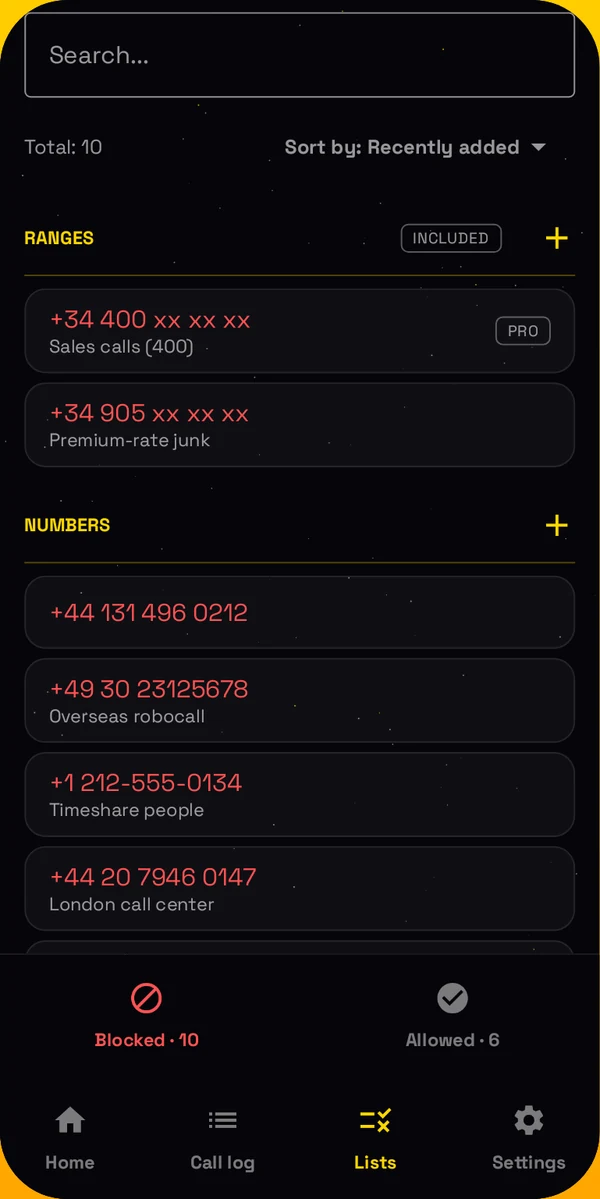
How to turn them on
- Install Bouncer from Google Play, and make it your spam blocking app in setup.
- On a phone with a SIM from one of these countries, Bouncer adds the ranges to your lists once.
- Open Lists > Ranges, and turn them on.
Ranges are part of Bouncer Pro. You can change or delete them like any other range. In Spain, sales calls now come from 400 numbers: here is how to block them.
Block numbers or ranges, or block everyone except your contacts.

From 17 October, sales calls in Spain come from numbers that start with 400. Here is how to block them.
Read → October 2026 Bouncer call blocker now speaks 11 languagesEnglish, Spanish, Portuguese, French, German, Italian, Turkish, Polish, Russian, Croatian and Serbian.
Read → September 2026 How to block calls by area code or country code on AndroidBlock a whole area code, country code or prefix in one entry, and let Bouncer spot spam ranges for you.
Read → September 2026 How to block unknown calls at night, and only at nightOvernight, in working hours or at the weekend: choose when unknown numbers stop ringing.
Read → June 2026 How to block calls from numbers not in your contacts on AndroidOnly the people you know get to ring. Here is how to block every other number in 30 seconds.
Read →